Grid Series 3 · VSN1
TouchDesigner.
Finally under
your fingers.
Stop using the value ladder, or clicking through menus mid-session. VSN1 paired with the Function Store TouchDesigner package maps any parameter to your jog wheel instantly for quick and smooth adjustment - hover, turn, done.
The problem
You build incredible visuals.
Parameter tweaking should feel just as creative.
TouchDesigner gives you infinite creative power - but reaching it means clicking through nested menus, typing values, or using the value ladder every time you want to tweak a parameter. VSN1 changes that. Hover any parameter, turn the knob, and the rest disappears.
The hardware
Three things that change everything
Hover-to-Control
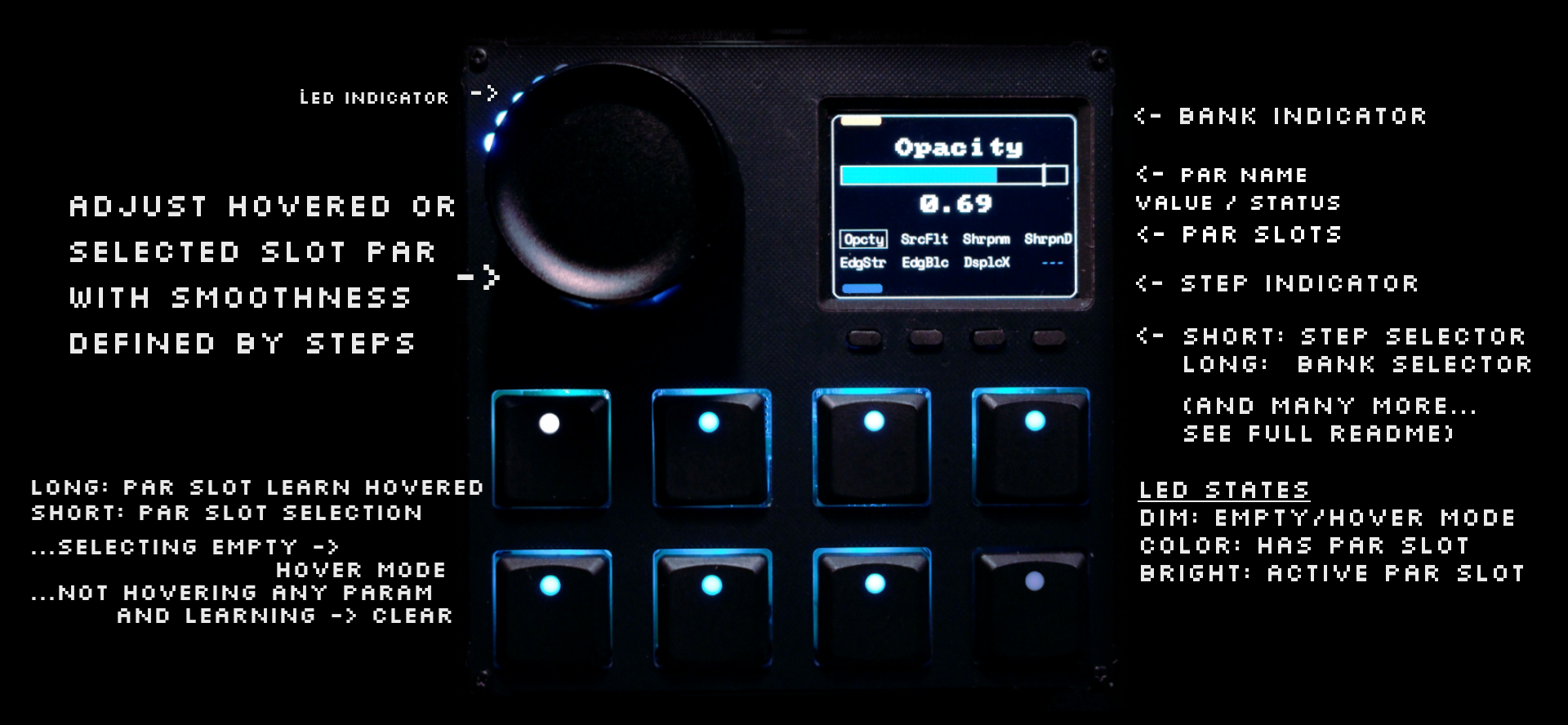
Move your cursor over any TouchDesigner parameter and VSN1's jog wheel maps to it instantly. No assignment, no menus.
LCD Screen Feedback
Real-time parameter names and values on the integrated screen. Know exactly what you're controlling without looking away.
32 Parameter Slots
Save parameters across 4 independent banks of 8 slots. Long-press to lock any parameter for instant recall.
Beyond the basics
Deep software integration,
not just MIDI mapping
The Function Store package isn't a simple MIDI-to-parameter bridge. It's a purpose-built control system with smart features that understand your TouchDesigner session.
Smooth Relative Control
Adjust any parameter with precision — values scale dynamically to your parameter's range. No more quantized value ladders or overshooting. Works across multiple selected operators simultaneously.
Multi-Operator Editing
Select multiple operators and adjust the same parameter across all of them simultaneously - in Snap or Relative mode.
ParGroup Control
Control entire parameter groups like RGB colors or XYZ positions with a single knob turn. Requires TouchDesigner 2025.X+.
Button Combos & Shortcuts
Reset values, set defaults, define min/max ranges, clamp parameters, jump to operators, and open the component editor - all from hardware shortcuts.
Network Navigation
When no parameter is active, the jog wheel becomes a smooth zoom and pan controller for the network editor.
Full Undo/Redo
Every parameter change and slot operation is tracked. Undo and redo with full confidence - nothing is destructive.
Smart Recovery & Auto-Updates
Operators moved or renamed? The system detects and fixes references automatically. Built-in updater keeps your .tox current with one click.
Setup
Running in under 10 minutes
Connect VSN1 via USB-C
Plug in and open Grid Editor. VSN1 is detected automatically - no drivers, no manual config required.
Install the Function Store Package
Open Grid Editor → Packages, find the TouchDesigner package by Function Store, and activate it in one click.
Load Profile from Profile Cloud
Upload the TouchDesigner Par Hover profile directly to your VSN1 from the Profile Cloud - no manual file transfer.
Drop the .tox into TouchDesigner
Download the .tox from the package and add it to your TouchDesigner project. Start controlling parameters immediately.
// TouchDesigner Par Hover Control
 // Grid Editor → Packages → ⚙ Preferences

 CONNECTION BEHAVIOR
 LCD off on disconnect: Off LED off on disconnect: On

 SCREEN POWER MANAGEMENT
 Inactivity timeout: 5 // minutes Active brightness: 100% Inactive brightness: 0% // screen off

 // TouchDesigner Component Parameters
 Step Mode: "Adaptive"
 Multi Adjust: "Relative"
 Enable Zoom: On
 Enable Undo: On
 Hover Timeout: 3s // sticky mode
Community
What artists are saying
The hover-to-control workflow feels like it should have always existed in TouchDesigner. I'm controlling parameters I didn't even think to map before.
Setup was genuinely 10 minutes. Load the package, drop in the .tox, plug in VSN1. That's it. Haven't touched the value ladder for parameter control since.
The adaptive step sizing is what sold me. Same knob, same gesture — it just knows whether I need fine decimal control or big sweeps. No more overshooting and undoing.
The Collaboration
Built by people who live in TouchDesigner
Function Store is a TouchDesigner developer widely respected in the creative visual arts community for building high-quality TouchDesigner tools. Their TouchDesigner Par Hover package was built specifically for the VSN1 and distributed through Grid Editor's open Package Manager - a system that lets community contributors extend Grid for everyone. Outstanding contributors are honored with an affiliate partnership.
Intech Studio · Grid Series 3
VSN1
// TouchDesigner Edition
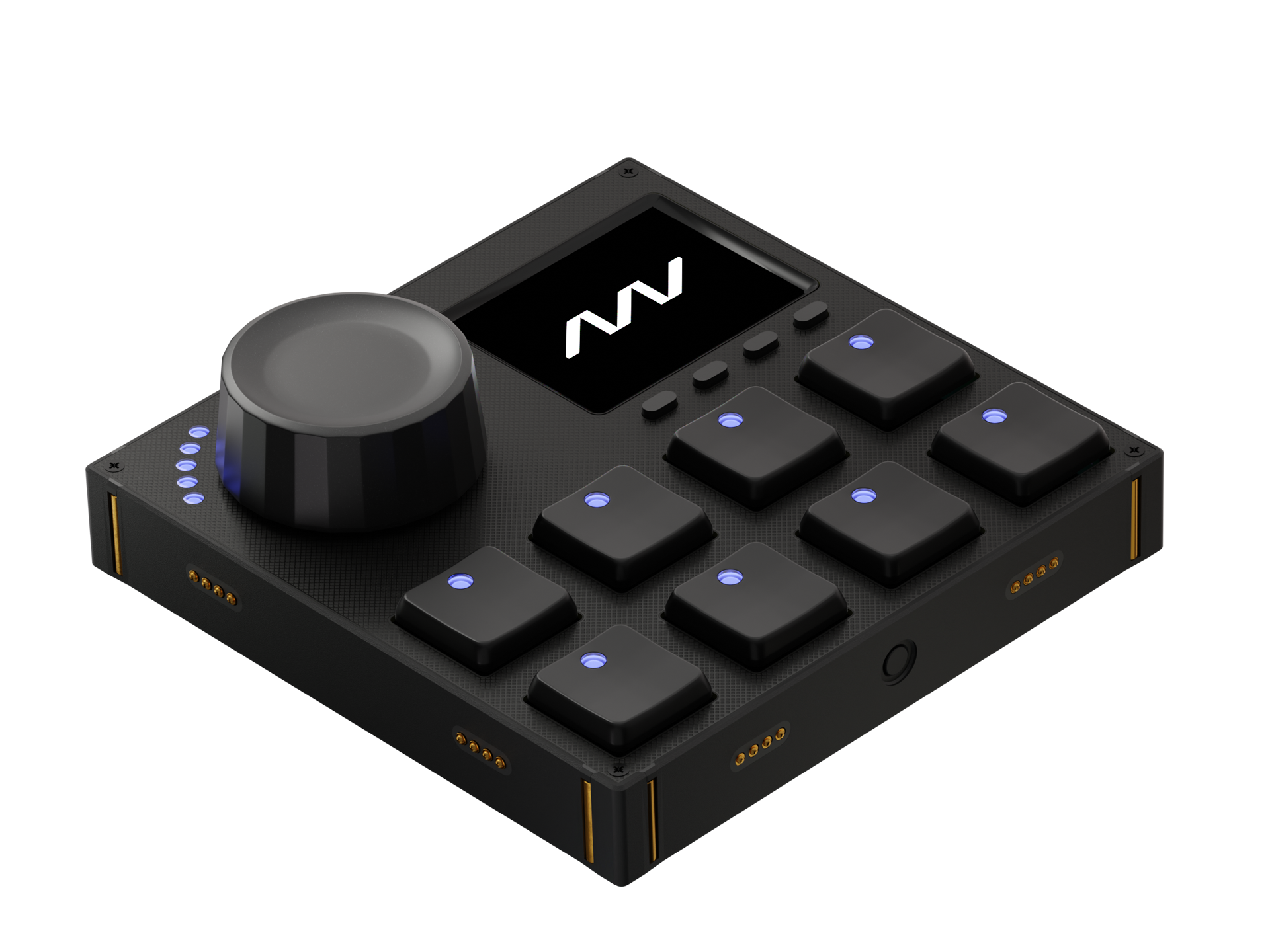
Productivity controller with LCD screen, high-precision jog wheel, and Hall effect key switches - with a first-class TouchDesigner integration by Function Store included via the Package Manager.
Orientation
Resources
Full documentation by Function Store
Everything you need to get the most out of the integration - from first steps to advanced workflows.
FAQ
Common questions
Yes - it requires TouchDesigner 2023.12120 or later. For ParGroup support (controlling RGB/XYZ simultaneously), you need TouchDesigner 2025.X or later. Works with both commercial and non-commercial builds. Grid Editor and VSN1 run on Mac, Windows, and Linux.
Most users are up and running in under 10 minutes. Plug in VSN1, open Grid Editor, install the package, load the profile from Profile Cloud, drop the .tox into your TouchDesigner project. The full tutorial video walks through every step if you want a guide.
Yes. VSN1 is a full module in the broader Grid ecosystem. It supports MIDI, HID keyboard/mouse, and gamepad protocols, and works natively with Ableton Live, Logic Pro, Lightroom Classic, Photoshop, Premiere Pro, DaVinci Resolve, and more.
Left and Right refer to which side of the jog wheel the LCD screen sits on. Both are functionally identical - the choice depends on your desk layout and how you plan to combine VSN1 with other Grid modules.
Absolutely. The TouchDesigner Par Hover profile is a starting point. Grid Editor exposes the full Lua configuration - remap any button, add behaviors, or combine elements from other profiles. The open-source ecosystem means the setup is entirely yours to shape.
Yes. The Par Hover .tox has a built-in auto-updater that checks GitHub for new releases. When an update is available, you can apply it with one click - no manual downloads or file swapping.
Intech Studio offers a 30-day free return program. If VSN1 isn't the right fit for your workflow, return it within 30 days for a full refund.
Ready to make the switch?
Stop clicking.
Start creating.
VSN1 + Function Store's TouchDesigner package. Hover any parameter, turn the knob. Your visuals, finally at your fingertips.
TouchDesigner is a product of Derivative Inc. This page is not affiliated with, endorsed by, or sponsored by Derivative. VSN1 and Grid Editor are products of Intech Studio. The TouchDesigner integration is provided by Function Store as a third-party package compatible with TouchDesigner.